Give your helper a useful toolkit
Combine connected tools with reusable instructions.
Your space → Connections → Tools & MCP / Skills
Before you begin
A custom agent with compatible tool settings; external services may require sign-in.
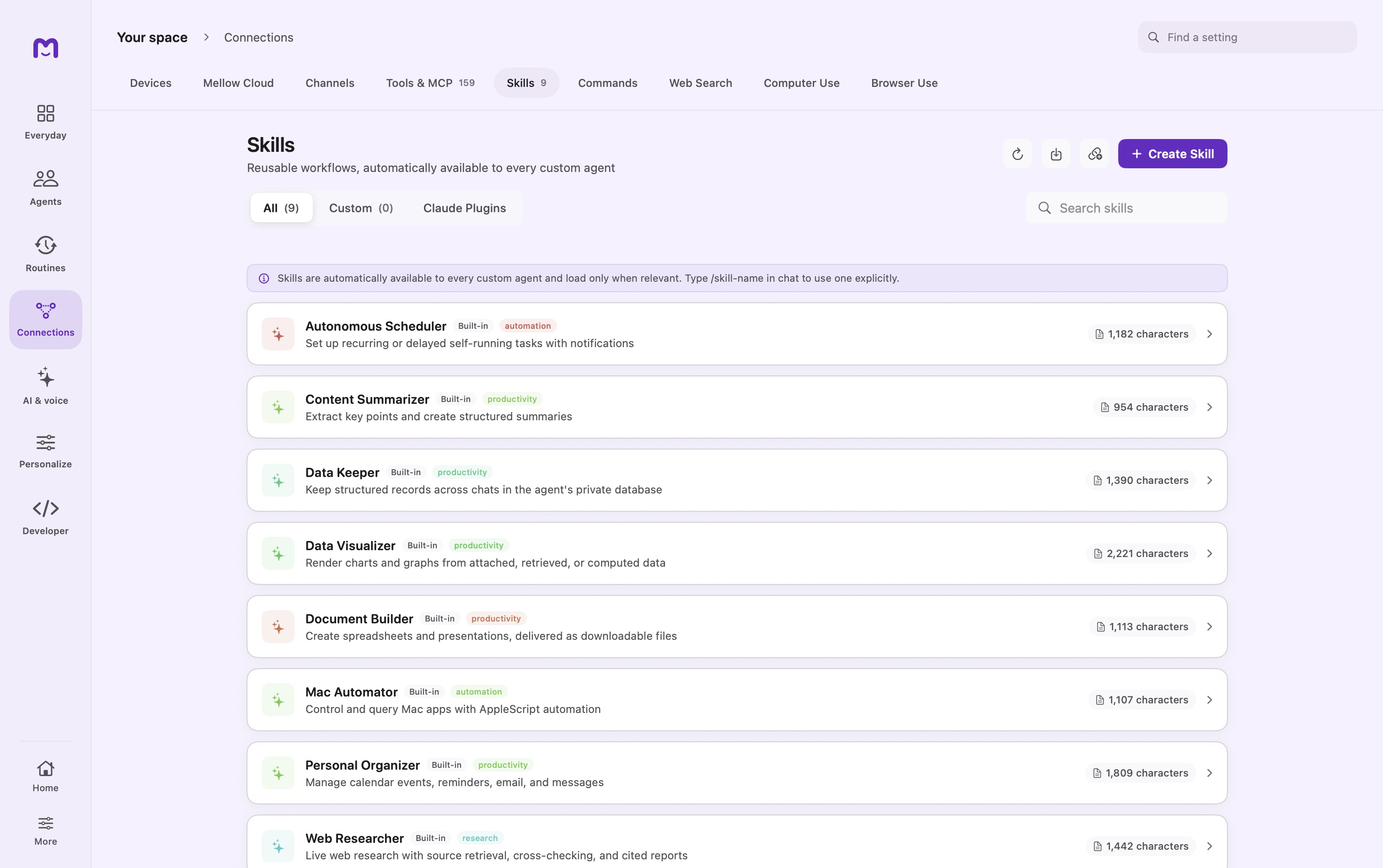
Connect a tool
Use Tools & MCP to add the service you need. Confirm its connection and review the tools it exposes.
Add a skill
Open Skills to create or import a reusable workflow. Read its instructions before installing it. Skills are instructions, not a new permission grant.
Try one bounded task
Ask your agent for a small result, review the tool call and approval, and check the returned output before relying on it in a routine.
Controls & reference
| Control or concept | How to use it |
|---|---|
| Tools & MCP | Manage connected capabilities and tool policies. |
| Create Skill | Write a reusable workflow with a clear description and instructions. |
| Import | Review a skill package before adding it. |
| /skill-name | Explicitly choose a skill for the next message. |
Try it with a small task
Write a short summarization skill and invoke it on non-sensitive text. Confirm the result follows its requested structure.
If it does not work
- Skill not offered: try a fresh chat or explicit slash invocation.
- MCP tool fails: check service authentication, transport and the actual error result.
Good to know
- Web Search, Browser Use and Computer Use have separate configuration and access requirements.
- A connected service can expose several tools; its tool count is not a count of agents.