Meet your Mellow workspace
Understand agents, models, devices and the place Mellow has within Visca.
In this topic
See the actual app · 1 screenshot
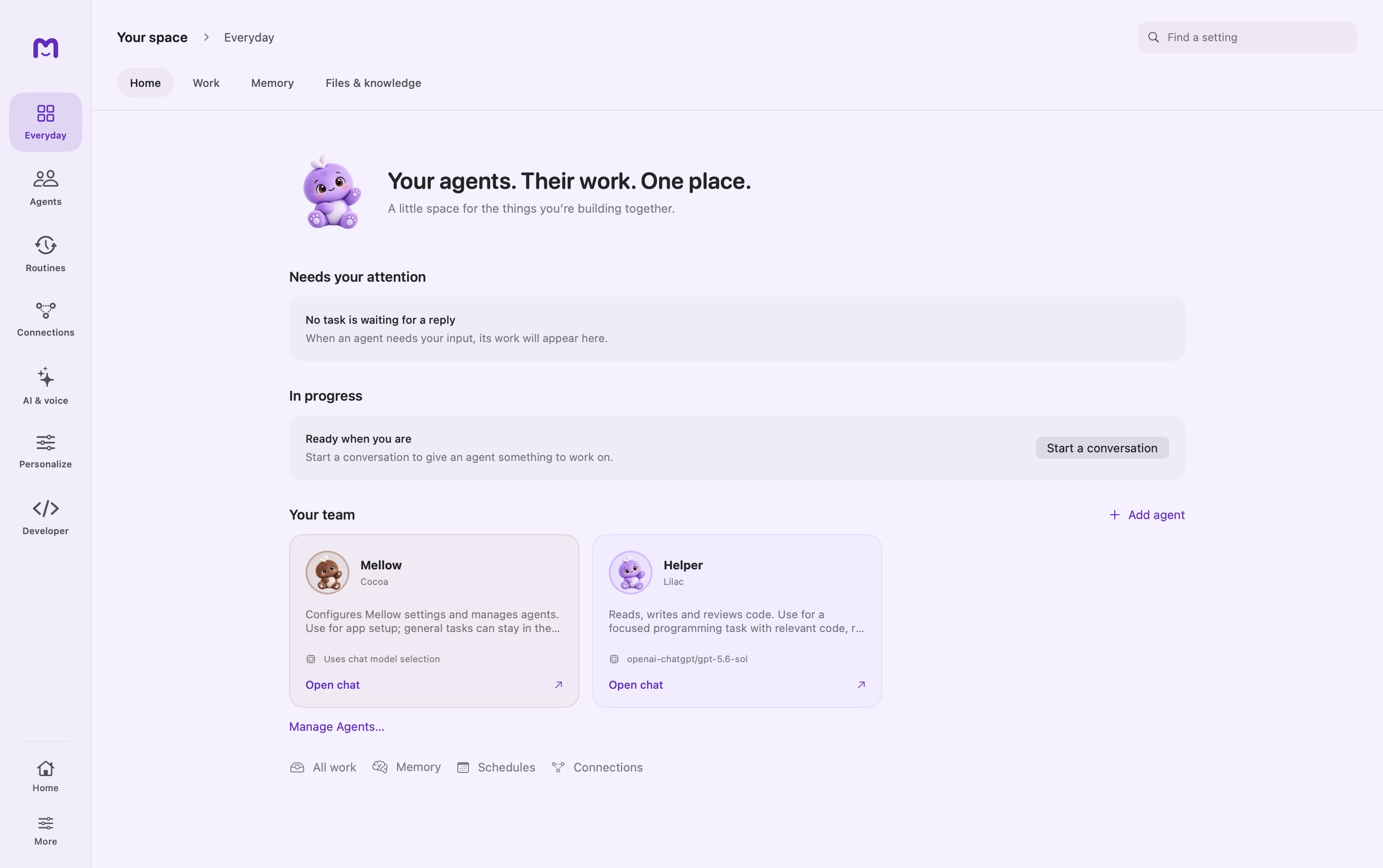
Mellow is Visca's Mac app for working with AI agents. A conversation can stay a simple question, grow into a file-based task, or become a responsibility that runs again later. You choose the agent, the model, the material it can use, and the device or Cloud workspace that owns the work.
This reference explains those choices and the controls behind them. The handbook is the shorter, task-by-task starting point. Use the reference when you need to understand scope, troubleshoot a run, or configure repeatable behavior.
Choose where to begin
| Your next outcome | Read |
|---|---|
| Install Mellow and get one answer | Installation, then First conversation |
| Give related conversations shared context | Projects |
| Create an assistant for a particular job | Agents |
| Work with documents or a code folder | Tasks and files |
| Reuse reference material across conversations | Knowledge |
| Understand what Mellow remembers | Memory |
| Run work later or react to file changes | Schedules and Watchers |
| Connect another device or a shared service | Devices and Cloud workspaces |
The pieces you will use
An agent holds a role. It brings instructions, model preferences, capabilities, and permission choices to a conversation. Your writing assistant and your coding assistant can have different access even when both use the same model.
A project holds a topic. It groups chats and provides shared instructions, knowledge collections, and an optional working folder. Changing the agent does not require leaving the project.
A model generates the next step. A local model runs on the Mac. A connected provider receives requests over its service. Selecting a provider is separate from connecting to a Cloud workspace.
Tools carry out actions. Reading a file, querying a service, and running a command are separate capabilities. A model's ability to discuss an action does not establish that it has the tool or permission to perform it.
A device owns execution. A paired Mac performs its work on that host. A Cloud workspace supplies account-scoped services. Neither should be confused with a local project, which is an organization and context feature.
Build up from one working conversation
Begin with one agent and one ready model. Ask an ordinary question, then try a narrow task against a small folder. Check the action output and resulting file before adding recurring work, remote execution, or more agents.
This progression makes problems easier to locate. If ordinary chat fails, inspect the model connection first. If chat succeeds but a file operation fails, inspect the working folder and tools. If local work succeeds but remote work fails, inspect the selected host or workspace connection.
Reading screenshots and examples
Screenshots show the recorded Mellow build and its state at capture time. A permission prompt, empty list, or disconnected service is part of that state. Conceptual diagrams explain a flow; they are not proof that a device is connected or a task has executed.
Code examples describe a specific operation. Replace example names and paths with your own. Model availability, external account permissions, and published cloud agents depend on your configuration.
Your data follows your choices
Local storage does not mean every model request stays local. When you choose a remote provider, the request may include the conversation and the context selected for it. That can include retrieved documents, memory, or tool results. Check Privacy and security before connecting sensitive material.
Mellow's settings and the run history are the source of truth for what is enabled and what happened. Treat a generated completion message as a summary to review alongside the actual result.
Continue exploring · Start with MellowInstall and update →Prepare your Mac, install Mellow and check the build you are running.